Tennis
Tennis club software for courts, coaches and members
Courts, lessons, memberships and ladders for a tennis club, with weather alerts and court lights handled for you.
CourtPlay for tennis clubs is included on every CourtPlay plan, from $149 per location per month, billed annually.
Sound familiar?
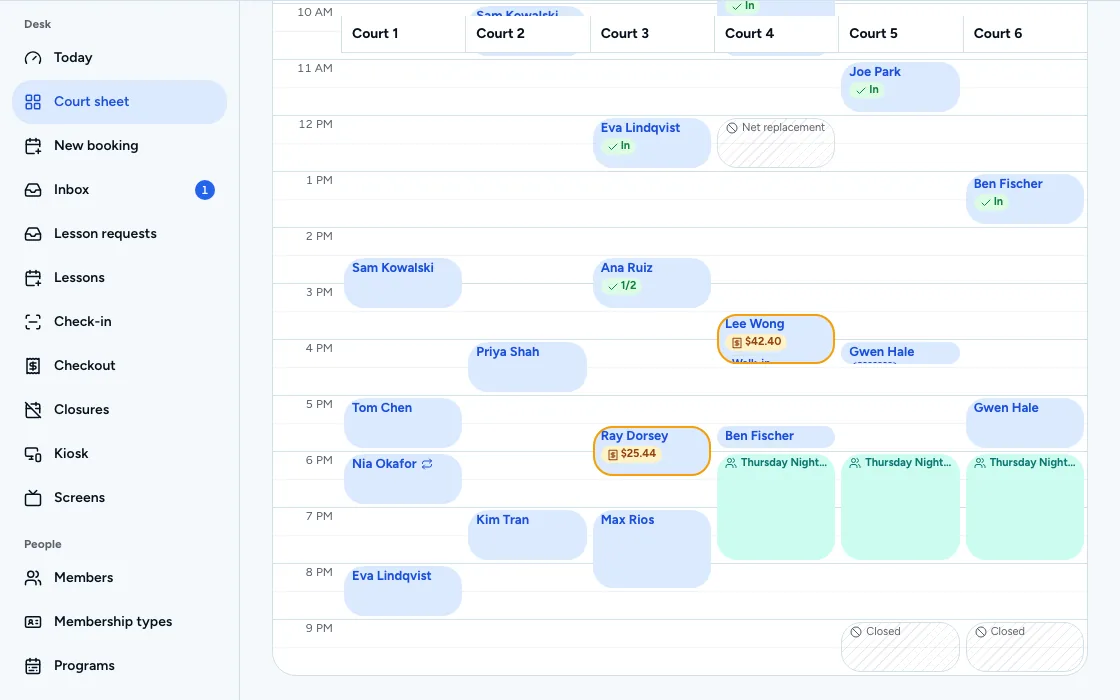
Members calling for a court
Booking a court is a phone call, so staff time goes into the calendar.
Lessons that miss the court
A coach's lesson and a member's booking land on the same court.
Rain and lights by hand
Weather closes courts, and the evening lights are switched by whoever remembers.
Camps sold by email
Junior camp places are claimed by reply and counted at the front desk.
Court bookingEvery plan
Let members book the court they want
Members and the public reserve online. Set separate prices for members and non-members, add guests, and repeat a booking for a standing weekly game.
- Online court booking for members and the public
- Member and non-member booking rules and prices
- Recurring bookings and season court time
- Guests and split court fees
CoachingEvery plan
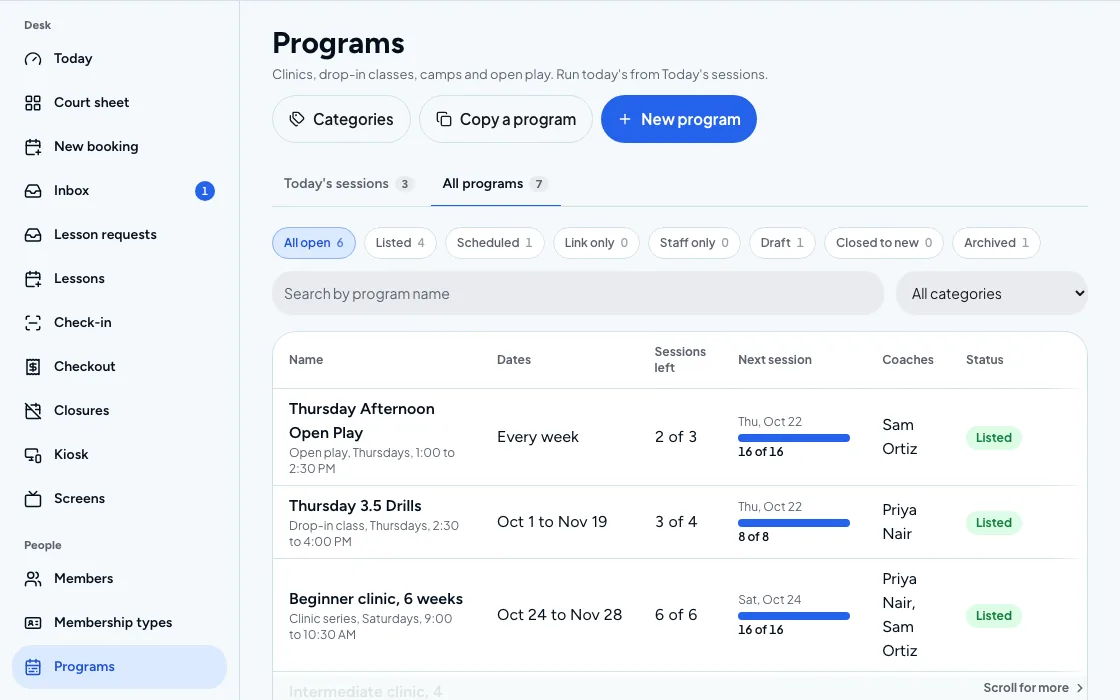
Sell lessons, clinics and camps
Coaches have a profile and a schedule, their pay follows the sessions they teach, and a junior camp can ask for a guardian's signature.
- Coach profiles, schedules and pay
- Programs, lessons and camps
- Waivers, with guardian signatures
- Age and rating limits on programs
The outdoor courtPro and up
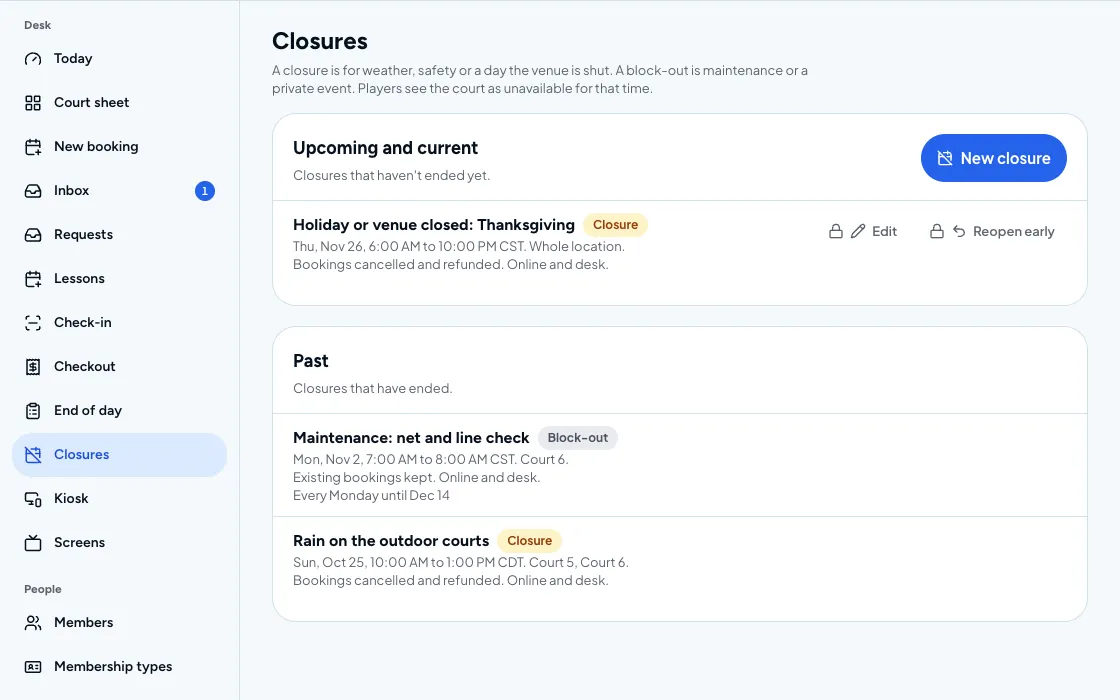
Handle weather and lights
Weather and lightning alerts reach players before they drive over, and lights can switch on with the booking.
- Weather and lightning alerts
- Lights and simulators that switch on with the booking
- Calendar sync with Google, Outlook and Apple
Getting started: tennis clubs
Set up courts and prices
Add each court, then set member and non-member prices and cancellation rules.
Add your coaches
Give each coach a profile and a schedule, and open their lessons for booking.
Run ladders and leagues
Start a ladder or league and let players follow standings on the app and the lobby screen.
CourtPlay facts
Last reviewed 2026-11-02
- Plan and price
CourtPlay for tennis clubs is included on every CourtPlay plan, from $149 per location per month, billed annually. See pricing
- Availability
On CourtPlay, lights and simulators that switch on with the booking are available on Pro and up. See pricing
Tennis questions
Can tennis members book courts online?
Yes. Members and the public book online, and you set the hours, the prices for members and non-members, and who is allowed to book each court.
How are tennis coaches paid and scheduled?
Each coach has a profile, a schedule and tracked pay, so lessons and clinics are on one calendar and pay follows the sessions they teach.
Does CourtPlay warn players about weather?
Weather and lightning alerts are on every plan, which helps an outdoor club tell players when a court is not safe to use before they arrive.
Can I run a ladder or a league?
Yes. Round robins, leagues and tournaments run in the same account as court booking, so results and standings stay with the club's members.
Does it work for a club with tennis and other sports?
Yes. Tennis sits with pickleball, padel, squash, badminton and table tennis in one account, and each court has its own hours and prices.
See it on your courts
Book a demo and we will walk through the setup for your venue.